NPREffect
| DirectXTK | Effects |
|---|
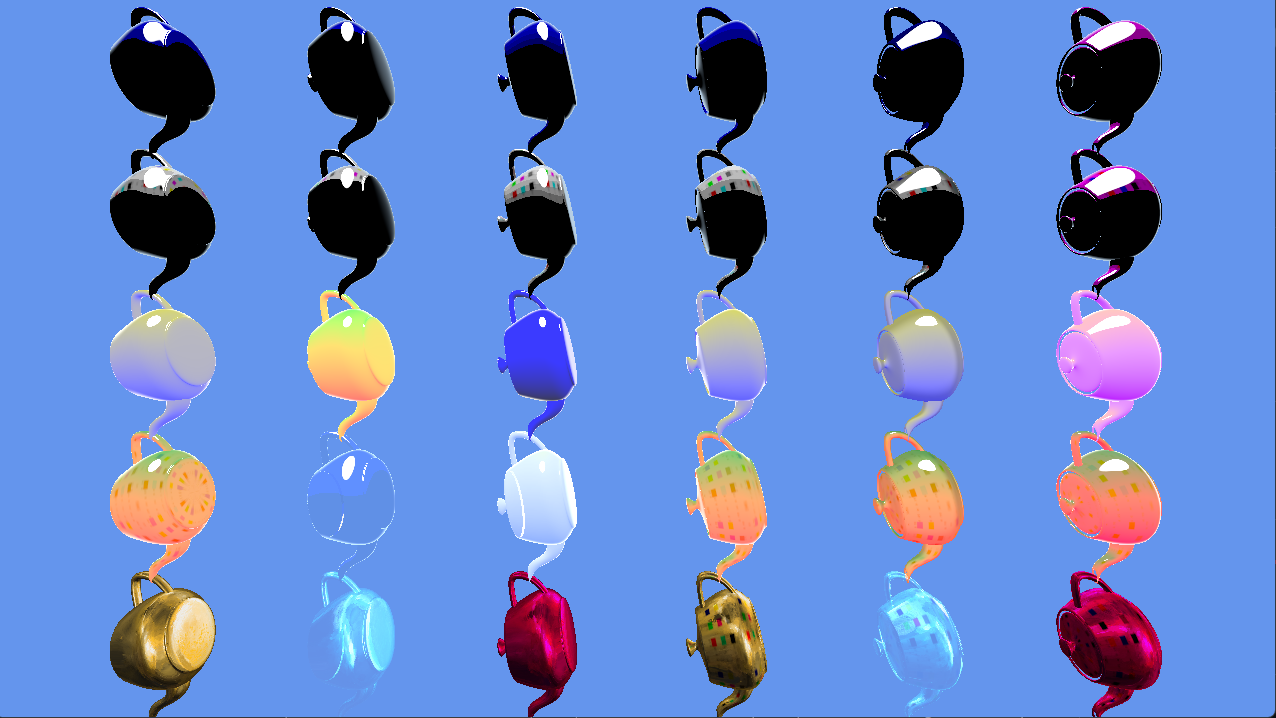
NPREffect implements non-photorealistic rendering techniques such as cel shading, Gooch shading, and MatCap (material capture) rendering. It provides an optional rim-lighting Fresnel effect for cel and Gooch shading modes.
SkinnedNPREffect extends NPREffect to support vertex skinning. The skinned effect does not support per-vertex colors or GPU instancing. Texturing is always enabled for the skinned effect as well.
See also NPREffectFactory
classDiagram
class IEffect{
    <<Interface>>
    +Apply()
    +GetVertexShaderBytecode()
}
class IEffectMatrices{
    <<Interface>>
    +SetWorld()
    +SetView()
    +SetProjection()
    +SetMatrices()
}
class IEffectLights{
    <<Interface>>
    +SetLightDirection()
    +EnableDefaultLighting()
}
class NPREffect{
    +SetMode()
    +SetAlpha()
    +SetDiffuseColor()
    +SetSpecularColor()
    +SetSpecularThreshold()
    +SetCelShaderBands()
    +SetGoochCoolColor()
    +SetGoochWarmColor()
    +SetRimLightingColor()
    +SetTextureEnabled()
    +SetVertexColorEnabled()
    +SetBiasedVertexNormals()
    +SetInstancingEnabled()
}
NPREffect--|> IEffect
NPREffect--|> IEffectMatrices
NPREffect--|> IEffectLights
class IEffectSkinning{
    <<Interface>>
    +SetBoneTransforms()
    +ResetBoneTransforms()
}
class SkinnedNPREffect
NPREffect <|-- SkinnedNPREffect
SkinnedNPREffect --|> IEffectSkinning
class DirectX::NPREffect :
    public DirectX::IEffect,
    public DirectX::IEffectMatrices,
    public DirectX::IEffectLights
class DirectX::SkinnedNPREffect :
public DirectX::NPREffect,
public DirectX::IEffectSkinning#include <Effects.h>Construction requires a Direct3D 11 device.
std::unique_ptr<NPREffect> effect;
effect = std::make_unique<NPREffect>(device);
std::unique_ptr<SkinnedNPREffect> effect;
effect = std::make_unique<SkinnedNPREffect>(device);For exception safety, it is recommended you make use of the C++ RAII pattern and use a std::unique_ptr or std::shared_ptr
NPREffect supports IEffect, IEffectMatrices, and IEffectLights.
Lighting is always enabled and MaxDirectionalLights is 1.
SkinnedNPREffect also supports IEffectSkinning
Fog settings are not supported.
This effect requires SV_Position, NORMAL, COLOR if per-vertex colors are enabled, and TEXCOORD0 if texturing or matcap is enabled.
If instancing is enabled, NPREffect also requires these vertex elements:
"InstMatrix", 0, DXGI_FORMAT_R32G32B32A32_FLOAT
"InstMatrix", 1, DXGI_FORMAT_R32G32B32A32_FLOAT
"InstMatrix", 2, DXGI_FORMAT_R32G32B32A32_FLOAT
If skinning is used, the vertex layout requires BLENDINDICES and BLENDWEIGHT.
-
SetMode: Sets which debug shader to use. Defaults to
Mode_Cel:
| Mode_Cel | Cel shading (a.k.a. toon shading) |
| Mode_Gooch | Gooch shading (warm/cool technical illustration) |
| Mode_MatCap | Material capture rendering (lit-sphere texture) |
-
SetDiffuseColor: Sets the diffuse color of the effect. Defaults to white (1,1,1). Alpha channel (.w component) is ignored.
-
SetSpecularColor: Sets the specular color of the effect. Defaults to white (1,1,1).
-
SetSpecularThreshold: Sets the specular threshold and smoothing value for the effect. Both values must be in the 0 to 1 range. Note that this is a linear value between 0 and 1 and not a Phong power value.
-
DisableSpecular: Disables the specular lighting for the effect.
-
SetAlpha: Sets the alpha (transparency) of the effect. Defaults to 1 (fully opaque). This value is also used for binning opaque vs. transparent geometry.
-
SetColorAndAlpha: Sets the diffuse color of the effect and the alpha (transparency).
-
SetVertexColorEnabled: Enables per-vertex color. Defaults to false. Modifying this setting requires recreating associated input layouts, and enabling it requires
COLOR. -
SetTextureEnabled: Enables texturing. Defaults to false. Modifying this setting requires recreating associated input layouts, and enabling it requires
TEXCOORD0. -
SetTexture: Associates a texture shader resource view with the effect. Can be set to nullptr to remove a reference. Can optionally include an alpha channel as well.
-
SetBiasedVertexNormals: Enables support for compressed vertex normals which require
*2 - 1biasing at runtime such asDXGI_FORMAT_R10G10B10A2_UNORM. -
SetInstancingEnabled: Enables support for per-vertex instancing by adding a per-vertex
XMFLOAT3X4transform matrix.
- SetCelShaderBands: Sets the number of cel bands when rendering. Defaults to 4.
-
SetGoochCoolColor: Sets the 'cool' color for Gooch shading and alpha weight.
-
SetGoochWarmColor: Sets the 'warm' color for Gooch shading and beta weight.
-
SetMatCap: Sets the material capture (matcap) texture to use when rendering in this mode. Uses the same texture coordinates as texturing (i.e.
TEXCOORD0).
-
SetRimLightingColor: Sets the rim-lighting color. Defaults to black (0,0,0).
-
SetRimLightingPower: Sets the rim-lighting power. Defaults to 4.
-
SetRimLightingIntensity: Sets a multiplier for the rim-lighting effect in the range of 0 to 1. Defaults to 0.75.
-
SetRimLightingRange: Sets the rim-lighting range between 0 and 1. Defaults to [0.2, 0.6].
-
DisableRimLighting: Disables the rim-lighting effect.
Applies to both Cel/toon and Gooch shading, but not MatCap.
The ctor can throw std::bad_alloc.
The methods SetSpecularThreshold, SetMode, SetCelShaderBands, SetRimLightingIntensity, SetRimLightingRange can throw std::invalid_argument.
For SkinnedNPREffect, calling SetTextureEnabled(false), SetVertexColorEnabled(true), or SetInstancingEnabled(true) will throw std::invalid_argument.
The cel and Gooch shading always uses 1 directional light, and material capture lighting all comes from the matcap texture.
SetLightingEnabled, SetPerPixelLighting, SetAmbientLightColor, SetLightEnabled, SetLightDiffuseColor, and SetLightSpecularColor are not implemented by this effect.